Sakura Editor practical guide
What is bregexp.dll? Sakura Editor and bregonig.dll explained
In current Sakura Editor setups, the practical answer is not to hunt for an old BREGEXP.DLL file. Check the bundled bregonig.dll, the Sakura Editor version, and the search-property settings first. Official Sakura Editor help notes that older Bregexp.dll for SAKURA and BREGEXP.DLL are not usable from version 2.0.0.0 onward, so this guide separates old library names from the checks that matter today.
Updated 2026-07-31
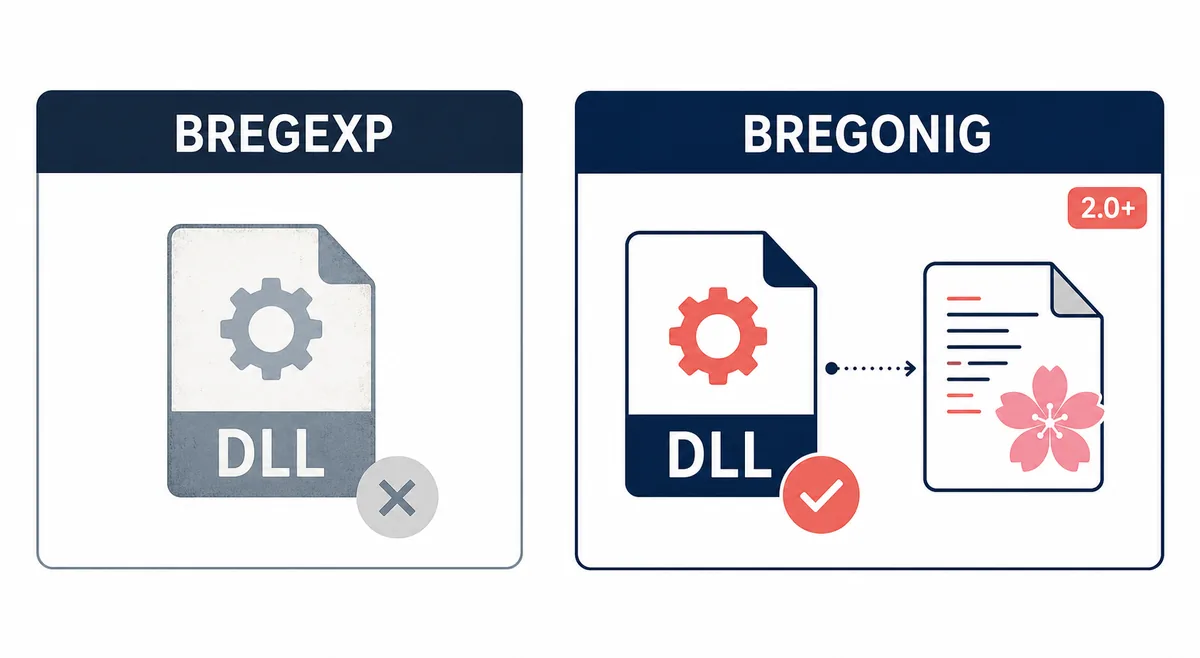
Quick answer: check bregonig.dll for modern Sakura Editor
People searching for bregexp.dll usually want one of three things: why regular expressions do not work, whether an old DLL is missing, or how BREGEXP-compatible APIs relate to bregonig.dll. Current Sakura Editor packages use bregonig.dll for regular-expression support, so the safest workflow is to verify the editor version, bundled DLL, 32/64-bit fit, search settings, and a small sample pattern before changing files.
| Check | Where to look | Decision |
|---|---|---|
| Editor version | About dialog, help, official releases | Do not follow old BREGEXP steps on 2.0+ |
| Bundled DLL | Sakura Editor folder or release zip | Confirm bregonig.dll exists |
| Search settings | Common settings and search properties | Confirm regex library behavior |
| Pattern compatibility | Small search and replace sample | Test line breaks, back references, and Unicode before production |
Contents
How bregexp.dll and bregonig.dll relateWhy old BREGEXP steps fail on Sakura Editor 2.0+A safe check flow when regex does not workCompatibility points: encoding, API, and Perl-style syntaxDo not install DLL files from unknown mirrorsSmall test examples before production replacementSummary: separate the three bregexp.dll questionsHow bregexp.dll and bregonig.dll relate
BREGEXP.DLL is an older regular-expression library name seen in many Windows text-editor articles. bregonig.dll is a separate library with BREGEXP-compatible API behavior and a history of supporting Unicode and Perl-like regular-expression features through the Oniguruma/Onigmo family. Because the names appear together in older documentation, it is easy to assume that every Sakura Editor issue requires downloading a file named bregexp.dll.
For Sakura Editor users, the important question is not only the file name. The official help describes bregonig.dll as an available regular-expression library and notes that it is included with the package version. It also documents that older BREGEXP variants are not for Sakura Editor 2.0.0.0 and later. That means your first checks should be version, bundled library, and search settings, not a random DLL download.
Why old BREGEXP steps fail on Sakura Editor 2.0+
Many old Japanese blog posts were written for older Sakura Editor versions. If you copy those steps into a modern installation, the DLL may be ignored and the search dialog will behave exactly as before. The official help explicitly warns that Bregexp.dll for SAKURA and BREGEXP.DLL cannot be used from version 2.0.0.0 onward.
Checked on 2026-07-31, Sakura Editor's latest GitHub release is v2.4.2, published on 2022-12-10, while the official site lists Ver.2.4.2 from 2022-12-03. The bregonig author page lists bregonig.dll Ver.4.20 updated on 2019-01-30. These facts support linking to official release and author pages rather than making unverified latest or direct-download claims.
A safe check flow when regex does not work
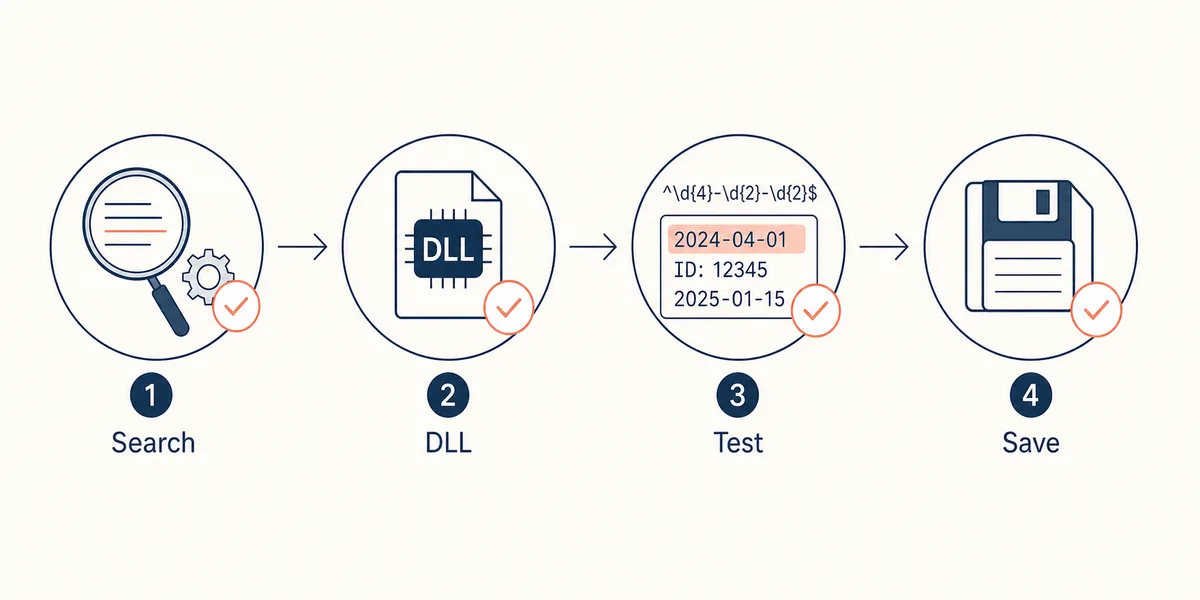
Start with a copy of the text and a small pattern. Confirm the Sakura Editor version, then check whether bregonig.dll is present in the release folder or package. Next review the search-related common settings, and only then test a pattern on a few sample lines. This order keeps library issues separate from syntax mistakes.
A useful sample should include ASCII, Japanese characters, line breaks, tabs, and a back reference. Try a date pattern such as `\d{4}-\d{2}-\d{2}`, then a simple replacement using `$1`. If that works in a small sample but fails in the real file, the root cause may be encoding, line endings, invisible whitespace, or the selected search option.
- Check the versionAvoid old BREGEXP instructions on Sakura Editor 2.0+.
- Confirm bregonig.dllLook in the official package or editor folder before downloading anything.
- Review search settingsMake sure regular-expression behavior is enabled as expected.
- Test on a sampleUse a short copy before touching production text.
Compatibility points: encoding, API, and Perl-style syntax
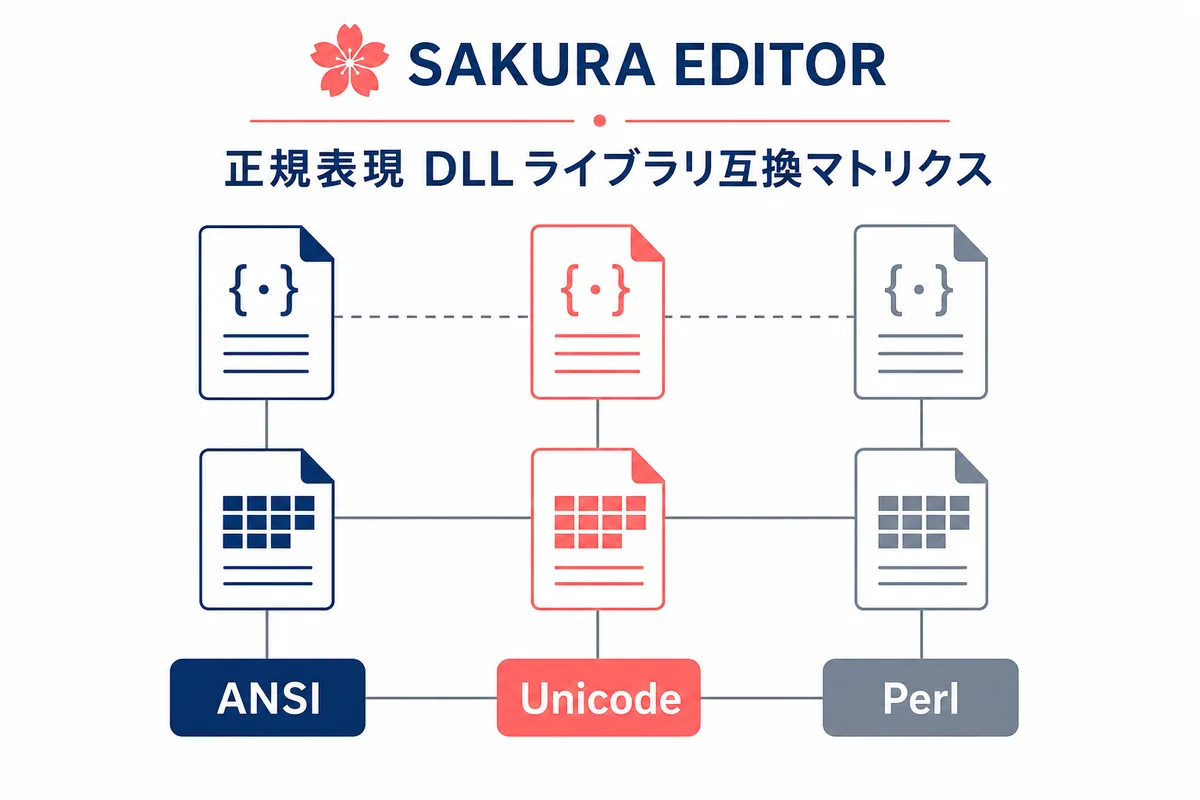
bregonig.dll having BREGEXP-compatible APIs does not mean every old pattern or every application behavior is identical. Japanese text can involve ANSI/Shift_JIS, Unicode, BOM markers, CRLF/LF differences, and full-width characters. A pattern can be logically correct and still match a different range when the underlying text representation differs.
Before a large replacement, normalize or at least inspect the character encoding and line endings. Then test the pattern, read the hit count, compare before and after with a diff, and only then save. This is especially important for configuration files, logs, and CSV-like data where a silent column swap or changed final newline can matter.
| Area | Common risk | Safe check |
|---|---|---|
| ANSI/Shift_JIS | Full-width text or old files match unexpectedly | Check encoding first |
| Unicode | BOM or combined characters change match ranges | Test a tiny sample |
| Perl-style syntax | Back references and quantifiers are misread | Review the replacement with diff |
Do not install DLL files from unknown mirrors
A DLL is executable code. Do not copy a file from an unknown mirror just because the filename matches an old article. Prefer official Sakura Editor releases, official help, the bregonig author page, and the source repository. The same name can hide a different build, bitness, or modified binary.
This page intentionally does not provide a direct DLL download button. Use official pages as the source of truth, and follow your organization’s rules for hashes, antivirus logging, backups, and software distribution when working on a managed PC.
Small test examples before production replacement
For log dates, test three copied lines with `\d{4}-\d{2}-\d{2}` before scanning the full log. For replacements, confirm exactly what `$1` and `$2` contain. A replacement can look plausible while moving the wrong data into a column.
For line-break patterns, test in Sakura Editor itself after checking any online helper. The editor, the regex library, and the file’s CRLF/LF state all participate in the result. A final diff gives a practical review before save.
Search: \d{4}-\d{2}-\d{2}\nReplace: ($1)\nReview: compare line count and matched range before saveSummary: separate the three bregexp.dll questions
When researching bregexp.dll, separate the old-library question, the current Sakura Editor setup question, and the regex-syntax question. In a modern editor, first check bregonig.dll, settings, and a small sample.
If the problem remains, inspect encoding, line endings, bitness, and the target version of the article you are following. Returning to official sources before copying DLL files protects both the edited text and the PC environment.
Frequently asked questions
Frequently asked questions
Is bregexp.dll required for the latest Sakura Editor?
Usually no. Check bundled bregonig.dll and search settings instead. Official help says older BREGEXP variants are not usable from Sakura Editor 2.0.0.0 onward.
Where should I verify bregonig.dll?
Use Sakura Editor official releases, official help, the bregonig author page, and the GitHub repository. Avoid unknown DLL download mirrors.
Can regex failure be caused by something other than the DLL?
Yes. Syntax, escaping, line endings, encoding, options, and the target text can all cause failure.
Are BREGEXP.DLL and bregonig.dll the same file?
No. bregonig.dll is described as a BREGEXP-compatible regular-expression library, but it is a distinct library.
Why is there no direct DLL download here?
Because the safe action is source verification. This page does not make independent file-size, latest-version, or safety-scan guarantees.